> ## Documentation Index
> Fetch the complete documentation index at: https://docs.raven.dev/llms.txt
> Use this file to discover all available pages before exploring further.
# WhatsApp Template
## 📜 Template
You can create the template while creating an Event with Whatsapp channel
enabled. You can easily create/update the template content by editing the event.
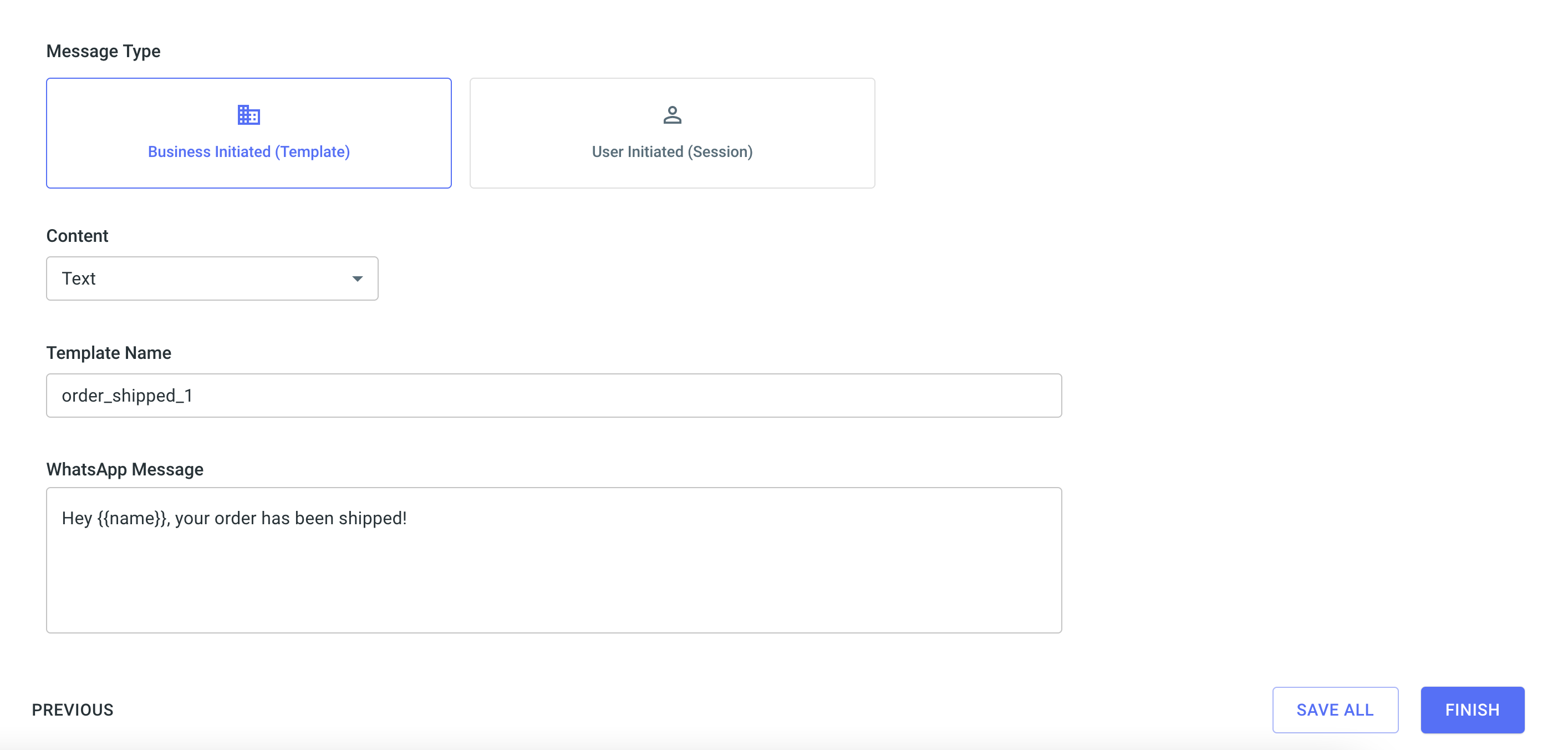 ### Template Components:
1. **Message Type** : Business initiated (Template Message) or User initiated
(Session Message)
2. **Content Type**: Type of the whatsapp template (text / media / interactive)
3. **Template Name**: Name of the approved template
4. **Whatsapp Message**: Message text
5. **Header** (Only for Media & Interactive)
6. **Reply Buttons** (Only for Interactive)
7. **Custom Data**: Key value map that will be passed to your notification. You
can use this to pass any additional data with the notification, like orderid,
username etc.
### Dynamic Content
To pass dynamic or custom data in the template like invoice number, user name,
tracking link etc., you should wrap it within handlebars `{{ user_name }}`. Raven
uses [Handlebars.js](https://handlebarsjs.com/guide/#what-is-handlebars) to
parse the template and all handlebar operations are supported. Following
Handlebars expressions are supported within templates:
1. Nested objects
2. \#if, #each, #with
You will need to pass the value of the variables in the data object of
[Send Event API](/api-reference/send-event).
**Example**
Whatsapp Template:
```json theme={null}
Hey {{user_name}}, Thank you for your Order Id# {{order.id}} of amount {{order.amount}}.
{{#if premium}} Glad to have you as our Premium customer. {{/if}}
```
`data` object in API:
```json theme={null}
...,
"data": {
"user_name": "Joe",
"order": {
"id": 123,
"amount": 745
},
"premium": true
}
```
## 🛎️ Important Links
Raven allows you to create notifications in multiple languages and manage them
from within a single event.
### Template Components:
1. **Message Type** : Business initiated (Template Message) or User initiated
(Session Message)
2. **Content Type**: Type of the whatsapp template (text / media / interactive)
3. **Template Name**: Name of the approved template
4. **Whatsapp Message**: Message text
5. **Header** (Only for Media & Interactive)
6. **Reply Buttons** (Only for Interactive)
7. **Custom Data**: Key value map that will be passed to your notification. You
can use this to pass any additional data with the notification, like orderid,
username etc.
### Dynamic Content
To pass dynamic or custom data in the template like invoice number, user name,
tracking link etc., you should wrap it within handlebars `{{ user_name }}`. Raven
uses [Handlebars.js](https://handlebarsjs.com/guide/#what-is-handlebars) to
parse the template and all handlebar operations are supported. Following
Handlebars expressions are supported within templates:
1. Nested objects
2. \#if, #each, #with
You will need to pass the value of the variables in the data object of
[Send Event API](/api-reference/send-event).
**Example**
Whatsapp Template:
```json theme={null}
Hey {{user_name}}, Thank you for your Order Id# {{order.id}} of amount {{order.amount}}.
{{#if premium}} Glad to have you as our Premium customer. {{/if}}
```
`data` object in API:
```json theme={null}
...,
"data": {
"user_name": "Joe",
"order": {
"id": 123,
"amount": 745
},
"premium": true
}
```
## 🛎️ Important Links
Raven allows you to create notifications in multiple languages and manage them
from within a single event.